

Telemetry for Track Rats
Drop in the .vbo, .gpx or .csv file from your last track day. TrackHero times every lap and sector, shows where you gained and lost time, and keeps every session in one place, whatever device recorded it.
One demo is worth more than 1000 words. No account needed to try, and nothing is saved until you sign up.
| Lap | S1 | S2 | S3 | Time | To ref. |
|---|---|---|---|---|---|
| Lap 1 | 54.030 | 75.419 | 43.851 | 2:53.300 | +0.800 |
| Lap 2 | 53.906 | 75.219 | 43.475 | 2:52.600 | +0.100 |
| Lap 3 Best | 53.772 | 75.480 | 42.848 | 2:52.100 | −0.400 |
Reads .vbo from Racelogic VBOX and Dragy, plus .gpx and .csv from RaceChrono, RaceRender and Dashware Recognises 355 circuits in 67 countries Adds local time and weather to every session
Find where the time is hiding.
A lap time tells you a lap was slow. Insights shows you why: the corner where you braked early, the exit where you waited for grip, the straight where the car stopped pulling. Overlay your laps, replay them on a satellite map and build your own channels.
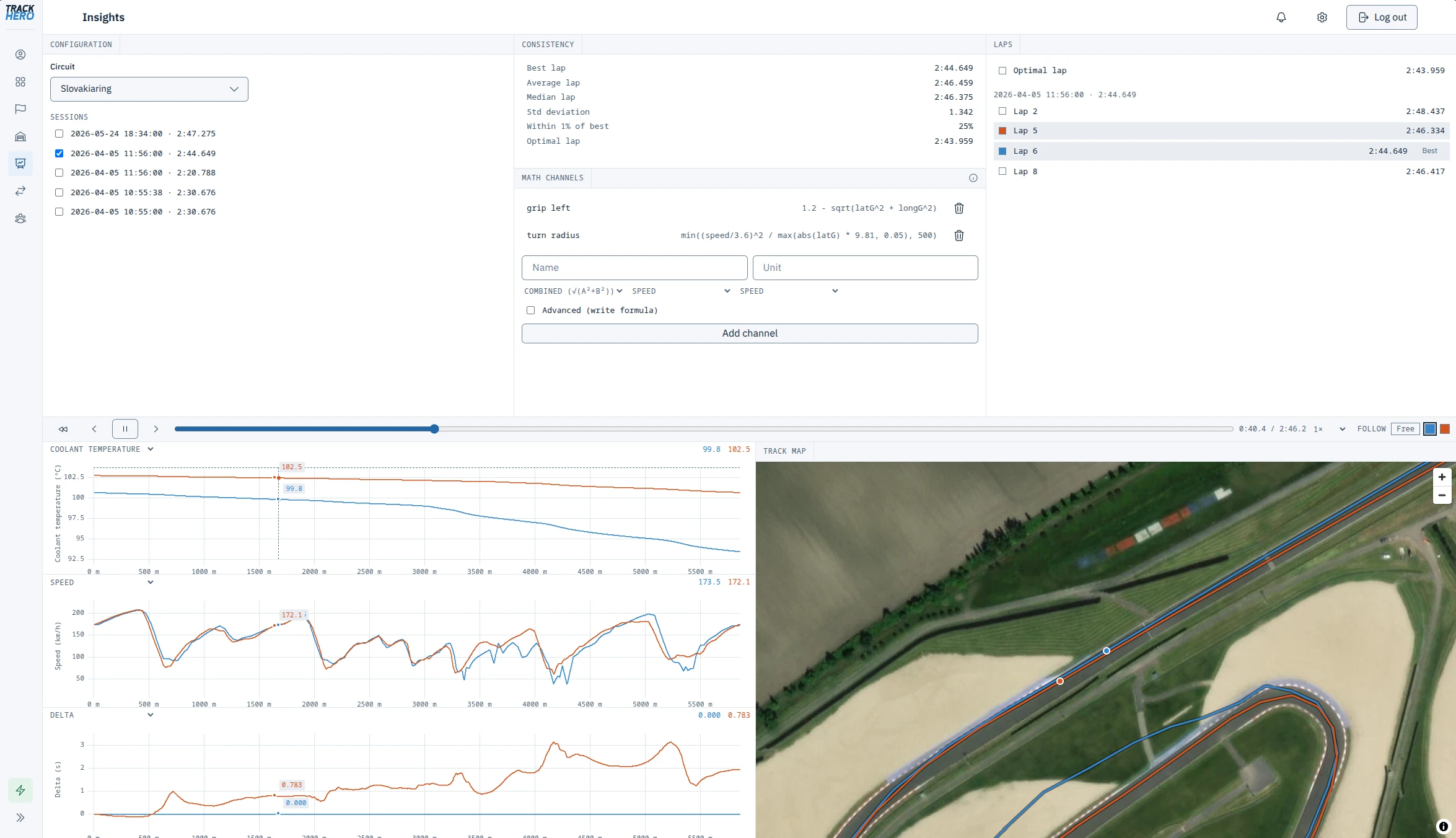
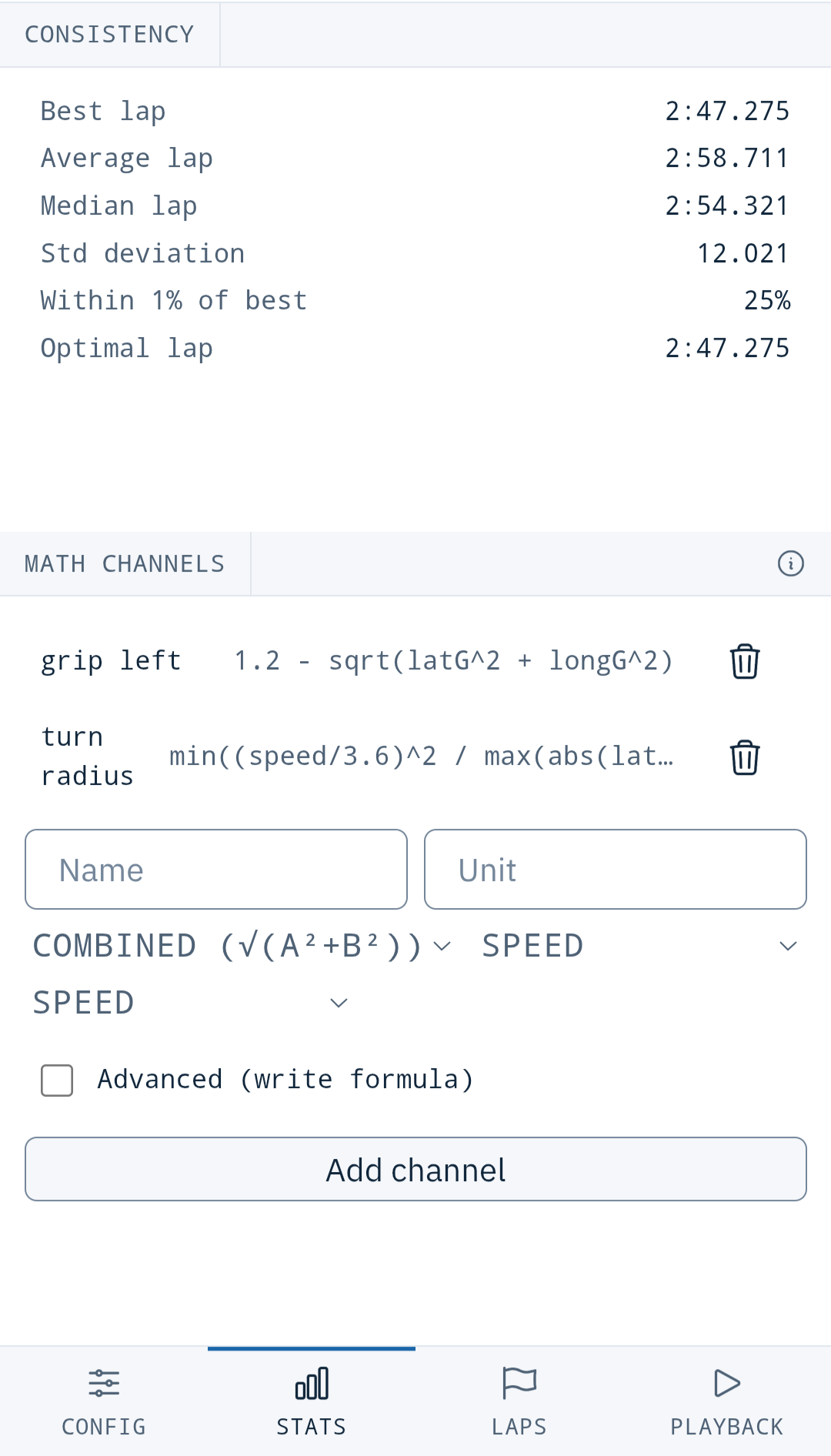
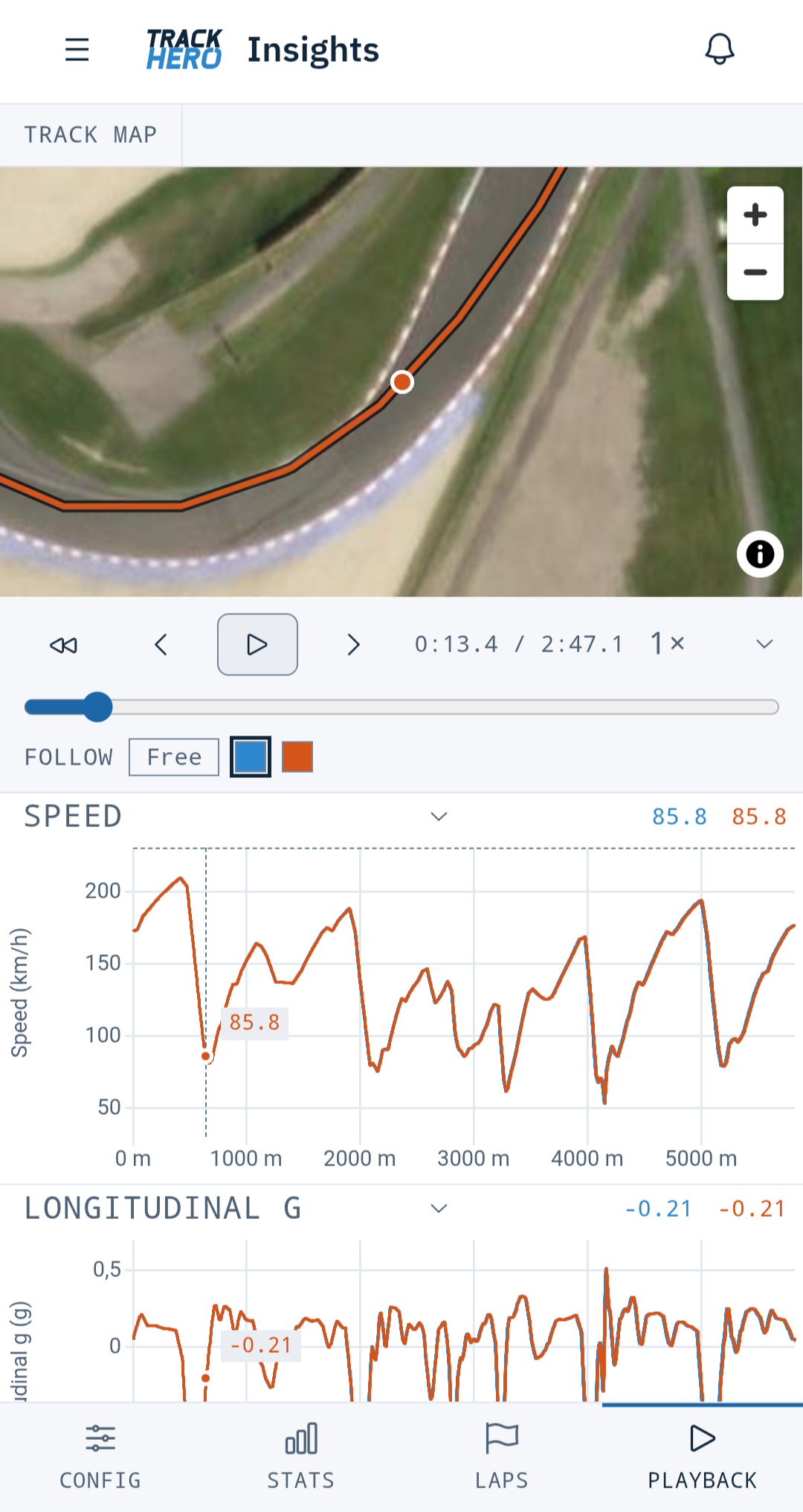
Works on your phone too, right at the car.
Up to 8 laps, metre by metre
Lay laps over each other and watch the gap open and close through every corner, on the charts and on the satellite map.
Braking and grip in g
Longitudinal and lateral g show how hard you brake and how much grip you really use.
Engine data when you log it
RPM, throttle and temperatures from OBD or CAN, lined up with the same distance.
Consistency across the day
Average, median, spread and laps within 1% of your best, for every lap.
Replay and optimal lap
Play any lap back in real time and chase the optimal lap stitched from your best sectors of the day.
Your own math channels
Get facts your logger never shows, like grip used or trail braking, from a preset or your own formula.
From file to next steps in a minute.
Drop your file
Upload the .vbo, .gpx or .csv from your logger or app. TrackHero recognises the track, sets the local time and adds the weather for that hour.
Read your laps
Lap and sector times, deltas to your best or a reference lap, and the optimal lap you already drove in pieces.
Plan the next session
Note what you changed, pick the corner to work on, and measure it next time against the same reference.
Your next target is already in the data.
TrackHero adds up your best sectors from the day. That is the lap your skill already allows, just not in one go yet. No guesswork, no borrowed times.
How lap and sector timing worksYour sessions outlive your phone.
Loggers get swapped, phones get replaced, laptops die. Upload a session once and it stays in your account, ready on any screen, with the setup you ran that day saved next to it.
Every setup change, frozen in time
Pick the car at upload and its setup is copied into the session. Change the car later and old sessions still show what you ran.
Notes, tyres and onboard video together
Pressures hot or cold, your debrief, and a YouTube onboard next to the lap it shows, also on your profile.
| Date | Track | Best lap | Visible to |
|---|---|---|---|
| 12 Sep 2026 | Spa-Francorchamps | 2:51.437 | Public |
| 30 Aug 2026 | Hungaroring | 2:07.412 | Friends |
| 14 Jun 2026 | Spa-Francorchamps | 2:52.500 | Private |
| 02 May 2026 | Brno | 2:19.886 | Public |
Your file back from A to Z
Export any session as the exact file you uploaded, or download every session at once as one zip. Open it in other tools, keep your own backup, leave whenever you like.
Everything a track day driver needs, in one place.
Lap and sector timing
Every lap and sector from your .vbo, .gpx or .csv file, deltas, optimal lap and reference laps.
Insights Track Rat
Speed, delta, g-force and engine data across the whole lap. See how you lost time.
Compare Track Rat
Put your lap next to a friend's or any public lap and see where they are faster.
Garage and setups
Your cars and every setup change, saved with the session you drove it in.
Storage and export
Sessions that outlive your phone. Export the original file back from A to Z.
Free to keep. About one coffee a month to analyse.
Timing, storage, export and leaderboards are free, forever. Track Rat adds Insights, Compare and private sessions for €4.99 a month, or €39.99 a year.
Questions drivers ask
Which lap timers and loggers work with TrackHero?
Any device or app that saves a .vbo file, or a .gpx or .csv export from RaceChrono, RaceRender or Dashware. Racelogic VBOX files work out of the box because they carry the start and split lines, and so do RaceChrono CSV files with lap markers. Dragy .vbo and .gpx files work at tracks where TrackHero already has preset timing lines.
How accurate are the lap and sector times?
TrackHero finds the exact moment your GPS path crosses each timing line and interpolates between samples, so times are precise to the hundredth even though a 10 Hz logger records ten points a second.
What is the optimal lap?
Your best time in each sector, added together. It is a lap you already drove, just never in one go, which makes it an honest target built only from your own driving.
Do I lose my data if I stop being a Track Rat?
No. Your sessions, laps, setups and exports stay free forever. Private sessions stay private after a downgrade.
Can I get my original file back?
Yes. Export any session as the exact file you uploaded, or download every session at once as a zip.
Do I need an account to try it?
No. Open the Try page, drop in your .vbo, .gpx or .csv file and see your laps straight away. Nothing is saved until you sign up.
Your last track day is still on your phone.
Take the file, drop it in and see where the time went.
One demo is worth more than 1000 words. No account needed to try, and nothing is saved until you sign up.